



Student Backpack
As technology continues to shape the way we learn and work, we believe it’s essential to equip you with powerful tools that enhance your creativity, collaboration, and confidence.
Introducing you to the UCS College Group Digital Backpack
We’re thrilled to introduce you to our Digital Backpack; a suite of modules to raise your knowledge and skills on the core apps you’ll use during your time with us.
These will equip you not just for college life, but for your next adventure – whether the workplace or higher education. The modules are filled with quick training programmes as well as knowledge checks to build your confidence and understanding in using our core apps as a student.

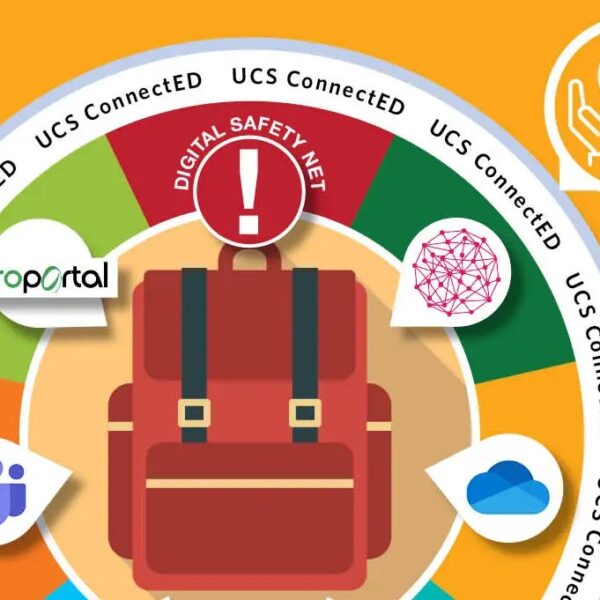
What’s in the Digital Backpack?
The backpack includes a collection of modules filled with quick training on how to best use the core apps with provide you, as well as knowledge checks to build your confidence and understanding.
Learn how to tackle the wide selection of Microsoft apps, including Word, Excel, Teams, and PowerPoint.
Century Tech offers a personalised learning experience that adapts to your strengths and challenges.
Stay organised and never miss a beat with ProPortal! Our integrated platform keeps all your academic information in one place.
Learn the basics of Artificial Intelligence, from how it works to how it can help you in your day-to-day life.
Common Questions
Will I learn how to stay safe online?
Yes! Our first module raises your awareness on overall concepts and more topical trends. We all need to pay attention to current and emerging threats online, and we’re here to help!
Do you have plans for new modules in the future?
Yes, we add new modules regularly, exploring new trends and apps. Recently, we added three mini-courses regarding AI, as well as modules focusing on Word, Excel and PowerPoint.
How can I get involved with shaping the future of the Digital Backpack?
Why not become a Student Digital Ambassador (SDA)? Our SDAs are a group of FE students from a variety of courses working to make a difference in the digital experience of students in the College Group. Get in touch by clicking here.
What accessibility tools are available to me?
Accessibility is always on our mind. The Microsoft 365 suite has a range of accessibility features including translation, dictation, captions, and more.